









How to Get Pink Blocks in Block Blast? Complete Guide

You can get pink blocks in Block Blast mainly by using device color settings because the game has no official pink mode. The easiest method is enabling color filters on your phone, which changes how block colors appear on screen.
On iPhone and Android, accessibility settings allow you to adjust display colors and make red blocks look pink. Some players notice pink blocks during special combos or board clears, but this is not an official or guaranteed feature.
Updating Block Blast may introduce new visual changes or themes that slightly affect block colors. Read the full guide on Crazy Games Unblocked to learn all methods in detail and improve your Block Blast experience.
How to get pink blocks in Block Blast?
You can get pink blocks in Block Blast mainly by adjusting your device display settings because the game does not include a built-in pink block option. This method changes how colors appear on your screen and makes the original red blocks look pink.
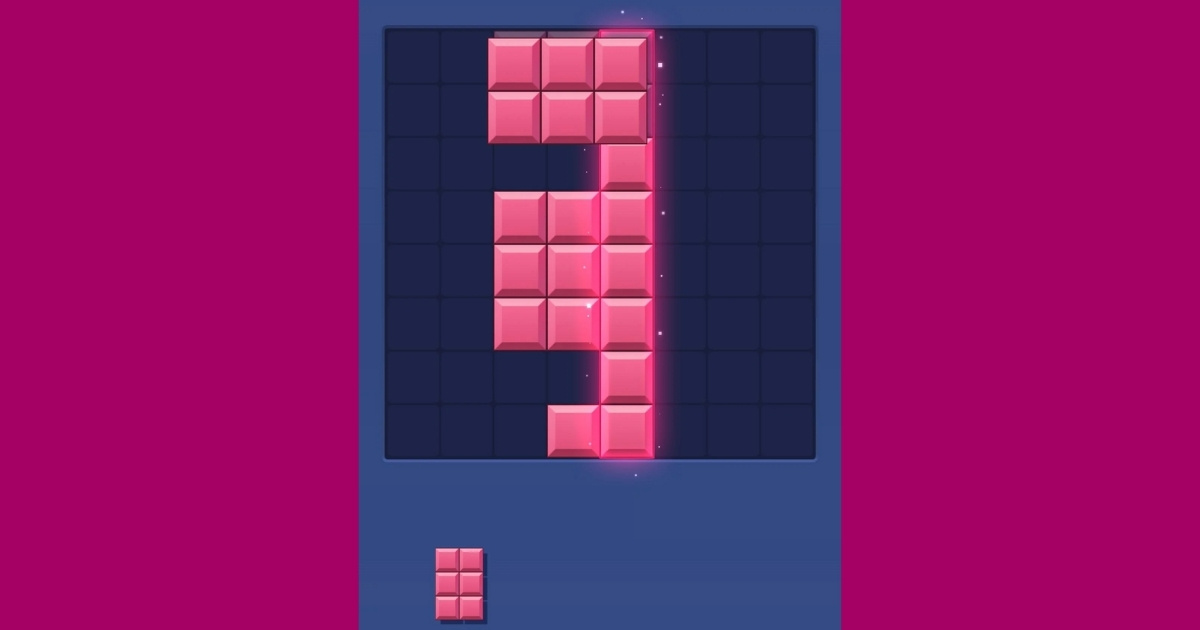
Some players also report seeing pink-colored blocks after special gameplay moments, such as clearing the board or creating large combos. However, these effects are not officially confirmed as a permanent feature.
Use device color filters to change Block Blast colors
Device color filters are the most reliable way to make Block Blast blocks appear pink. The setting changes screen colors without modifying the game itself.
How to get pink blocks on iPhone
iPhone users can change block colors through Accessibility settings. Follow these steps to adjust the display:
- Open Settings on your iPhone.
- Select Accessibility and choose Display & Text Size.
- Open Color Filters and turn it on.
- Select a suitable color filter option.
After enabling the filter, open Block Blast and check whether the blocks appear closer to pink.
How to get pink blocks on Android
Android users can use color correction settings to change how Block Blast colors appear. The exact option name depends on the device model.
- Open Settings.
- Go to Accessibility.
- Find Color Correction or Visibility settings.
- Enable a color adjustment option.
These changes can make red blocks appear with a different shade, including pink tones.
Can gameplay create pink blocks in Block Blast?
Some players believe pink blocks can appear after completing special board-clearing events or long combo sequences. These reports suggest that certain visual effects may happen during impressive gameplay moments.
Clearing the entire board or finishing a difficult sequence with the final block may sometimes change the visual style temporarily. However, this is not an official game mode or guaranteed feature.
Does updating Block Blast unlock pink blocks?
Updating Block Blast may introduce new themes, events, or visual improvements that change the appearance of blocks. Developers sometimes add new designs through updates.
Keeping the game updated is useful if you want to experience the latest visual changes and improvements.
Play Block Blast with different visual styles
You can enjoy different Block Blast experiences by adjusting settings and exploring alternative versions of the game. Block Blast Unblocked provides an easy way to play the puzzle game while focusing on improving your skills.
Changing colors can make gameplay feel fresh, but the main objective remains the same: placing blocks wisely, clearing lines, and achieving higher scores.
FAQs
Why is my Block Blast not colorful?
Block Blast may not look colorful because of device display settings, color filters, or changes in the game version. Checking your settings and updating the game can help restore the normal appearance.
How to get one color Block Blast?
You can create a one-color Block Blast look by using your device accessibility settings. The game does not have an official one-color mode.
What are the different game modes in Pink Block Blast?
Pink Block Blast is not an official separate mode. The pink appearance usually comes from color changes or visual effects rather than a dedicated gameplay mode.
How do you get pink blocks in Minecraft?
Pink blocks in Minecraft can be created by using items such as pink wool, pink concrete, and pink terracotta. This process is different from Block Blast.
Conclusion
How to get pink blocks in Block Blast depends on the method you choose. The game does not offer an official pink mode, but device filters and possible visual effects can change how blocks appear.
Try these methods to create a different Block Blast experience and explore more puzzle games through No Ads Games.