











Where to See Your Prestige in Cookie Clicker? Stats & Ascension Guide
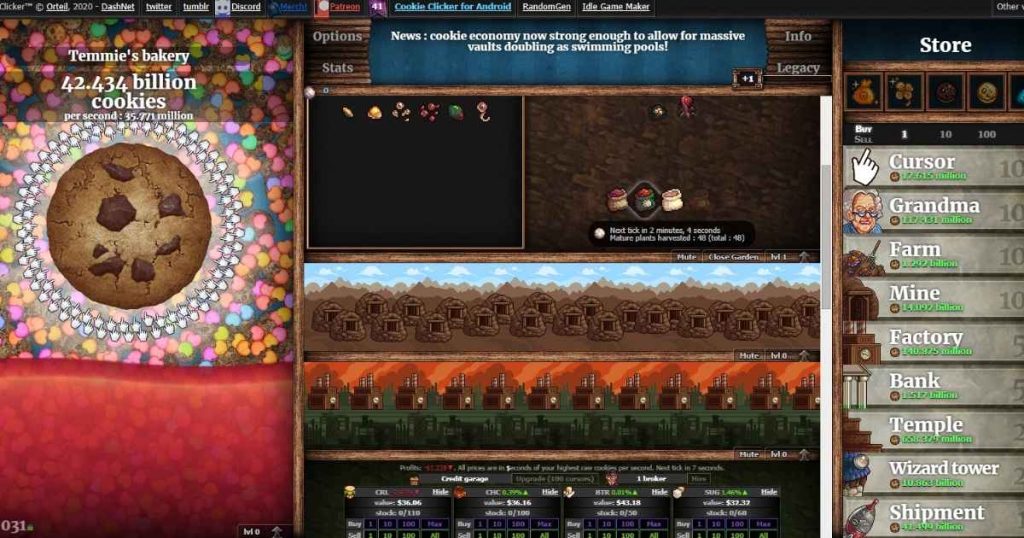
You can check your Prestige in Cookie Clicker mainly through the Stats page or the Ascension (Legacy) screen. In the Stats page, you click the Stats button and scroll down to see your Prestige Level, progress, and unspent Heavenly Chips.
In the Ascension screen, you open the Legacy menu where Prestige values and future rewards are shown near the Reincarnate option. Prestige represents your total progress across all runs and gives a permanent +1% Cookies per Second boost per level.
It is important because higher Prestige means more Heavenly Chips and faster future progression. Heavenly Chips are earned from Prestige and used to unlock permanent upgrades that improve production.
Overall, checking Prestige correctly helps you plan better ascensions and long-term growth in Cookie Clicker. You can also play the game directly on Cookie Clicker Unblocked.
Where to see your Prestige in Cookie Clicker Stats page
The easiest way to check your Prestige is through the Stats page.
- Click the Stats button in the top menu bar on the main screen.
- Scroll down until you find the Prestige section.
Here you can see your Prestige Level, upcoming progress, and unspent Heavenly Chips.

Where to see your Prestige in the Ascension screen
You can also view Prestige in the Legacy or Ascension screen.
Click the Legacy button to open the ascension menu.
On this screen, your current and upcoming Prestige values are shown near the Reincarnate option.
You can also hover over icons to see detailed Heavenly Chip rewards.
What Prestige means in Cookie Clicker
Prestige represents your total progress across all runs.
Each Prestige Level gives a permanent +1% boost to Cookies per Second.
When you ascend, Prestige converts into Heavenly Chips for permanent upgrades.
Why Prestige is important
Prestige determines how strong your future runs will be.
Higher Prestige means more Heavenly Chips and faster progression.
It is one of the core systems for long-term growth in Cookie Clicker.
How Heavenly Chips relate to Prestige
Heavenly Chips are earned based on your total Prestige.
They are used to unlock permanent upgrades that boost production.
This makes every ascension more powerful than the last.
Common mistakes when checking Prestige
Some players only check cookies instead of Prestige, missing long-term progress.
Others ignore the Stats page and do not track ascension rewards.
Using the correct menu helps you plan better ascension timing.
Explore more Cookie Clicker content
If you enjoy incremental games, Cookie Clicker offers deep progression through Prestige and upgrades.
You can also play directly at Cookie Clicker Unblocked for instant browser access.
Browse more arcade games
If you enjoy strategy and idle games, explore more titles in the arcade category.
Check out Arcade Games for more fun experiences.
FAQs
Where to see your Prestige in Cookie Clicker?
You can see Prestige in the Stats page or the Ascension (Legacy) screen.
How do I check Heavenly Chips?
Heavenly Chips are shown in the Stats section under Prestige details.
What does Prestige do in Cookie Clicker?
Prestige gives a permanent CpS boost and converts into Heavenly Chips after ascension.
Does Prestige reset after ascension?
No, Prestige is permanent and continues to grow after each ascension.
Conclusion
Knowing where to see your Prestige in Cookie Clicker helps you track progress and plan better ascensions. The Stats page and Ascension screen are the main places to check Prestige and Heavenly Chips for optimal gameplay strategy.