










How to brake in Moto X3M?
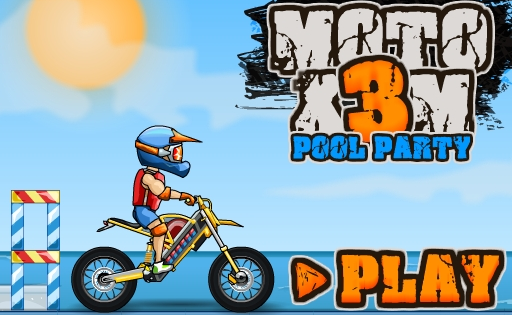
How to brake in Moto X3M? Braking is an important skill in this fast-paced bike stunt game because it helps you control speed, avoid crashes, and land safely after jumps. Unlike realistic racing games, Moto X3M does not have a complex braking system, but it does give you simple controls to slow down when needed.
Understanding how and when to brake properly can make a big difference in your performance. Good braking helps you complete levels faster and with fewer mistakes.
How to brake in Moto X3M?
How to brake in Moto X3M? You can brake by pressing the Down Arrow key or the S key on your keyboard. This immediately slows your bike and gives you better control when approaching obstacles or landing from jumps.
You can also slow down by releasing the acceleration key (Up Arrow or W). When you stop accelerating, the bike naturally reduces speed due to the game’s physics system.
Try practicing braking in Moto X3M Unblocked to get comfortable with different speed situations across levels.
What does braking do in Moto X3M?
Braking helps reduce speed so you can handle tricky sections more safely. It is especially useful before jumps, steep drops, or obstacle-heavy areas where timing is important.
By slowing down at the right moment, you can avoid flipping too far, missing landings, or crashing into traps. However, using the brake too much can also reduce momentum and slow your overall progress.
When should you use the brake?
You should use the brake when you need more control rather than maximum speed. This includes situations like:
• Approaching tight or narrow platforms
• Preparing for large jumps or drops
• Avoiding spinning blades or explosive obstacles
• Adjusting your landing position after a jump
In these moments, slowing down gives you more reaction time and improves accuracy.
Do you need to brake all the time?
No, braking all the time is not recommended. Moto X3M is designed around speed and momentum, so overusing the brake can make levels harder to complete quickly.
The key is balance. Some sections require full speed, while others require careful control. Learning when to brake is more important than braking often.
How braking affects momentum
Moto X3M uses physics-based movement, so your bike’s momentum plays a big role. When you brake, you reduce momentum, which improves control but can also reduce speed.
This means braking should be used strategically. Skilled players only brake when it helps avoid crashes or improves landing precision.
Common braking mistakes
New players often make mistakes like braking too early, which slows them down unnecessarily, or braking too late, which leads to crashes.
Another mistake is holding the brake for too long. This can make it difficult to regain speed and clear upcoming obstacles.
Tips for better braking control
To improve your braking in Moto X3M, try these simple tips:
• Release acceleration before braking to control speed smoothly
• Learn level layouts to predict when to slow down
• Use short braking instead of holding it continuously
• Focus on clean landings to maintain momentum
These techniques help you stay in control while still maintaining good speed.
Where to play Moto X3M
You can play Moto X3M directly in your browser without downloading anything. The game is popular because it combines fast action, stunts, and obstacle challenges in short levels.
For more browser games and racing experiences, visit Crazy Games Unblocked to explore more titles.
Conclusion
How to brake in Moto X3M? You brake by pressing the Down Arrow or S key, or by releasing acceleration to slow down naturally. Braking is mainly used for control, not for stopping completely.
Mastering braking is essential for improving your performance. When used at the right time, it helps you avoid crashes, control landings, and complete levels more efficiently.
If you want to improve further, check out how to start moto x3m easily for beginner-friendly gameplay tips.