







Crazy Games Unblocked
  • Action
  • Adventure
  • Arcade
  • Basketball
  • Blog
  • LOGIN
  • FoosballPLAY NOW!
    Foosball
    0 votes, average: 0.00 out of 50 votes, average: 0.00 out of 50 votes, average: 0.00 out of 50 votes, average: 0.00 out of 50 votes, average: 0.00 out of 5
    4
  • Rooftop SnipersPLAY NOW!
    Rooftop Snipers
    0 votes, average: 0.00 out of 50 votes, average: 0.00 out of 50 votes, average: 0.00 out of 50 votes, average: 0.00 out of 50 votes, average: 0.00 out of 5
    13
  • Soccer RandomPLAY NOW!
    Soccer Random
    0 votes, average: 0.00 out of 50 votes, average: 0.00 out of 50 votes, average: 0.00 out of 50 votes, average: 0.00 out of 50 votes, average: 0.00 out of 5
    12
  • Wrestle BrosPLAY NOW!
    Wrestle Bros
    0 votes, average: 0.00 out of 50 votes, average: 0.00 out of 50 votes, average: 0.00 out of 50 votes, average: 0.00 out of 50 votes, average: 0.00 out of 5
    6
  • Backgammon OnlinePLAY NOW!
    Backgammon Online
    0 votes, average: 0.00 out of 50 votes, average: 0.00 out of 50 votes, average: 0.00 out of 50 votes, average: 0.00 out of 50 votes, average: 0.00 out of 5
    6
  • Ragdoll ArchersPLAY NOW!
    Ragdoll Archers
    0 votes, average: 0.00 out of 50 votes, average: 0.00 out of 50 votes, average: 0.00 out of 50 votes, average: 0.00 out of 50 votes, average: 0.00 out of 5
    7
  • Soccer BrosPLAY NOW!
    Soccer Bros
    0 votes, average: 0.00 out of 50 votes, average: 0.00 out of 50 votes, average: 0.00 out of 50 votes, average: 0.00 out of 50 votes, average: 0.00 out of 5
    8
  • DodgeballPLAY NOW!
    Dodgeball
    0 votes, average: 0.00 out of 50 votes, average: 0.00 out of 50 votes, average: 0.00 out of 50 votes, average: 0.00 out of 50 votes, average: 0.00 out of 5
    5
  • Flappy DunkPLAY NOW!
    Flappy Dunk
    0 votes, average: 0.00 out of 50 votes, average: 0.00 out of 50 votes, average: 0.00 out of 50 votes, average: 0.00 out of 50 votes, average: 0.00 out of 5
    7
  • We Become What We BeholdPLAY NOW!
    We Become What We Behold
    0 votes, average: 0.00 out of 50 votes, average: 0.00 out of 50 votes, average: 0.00 out of 50 votes, average: 0.00 out of 50 votes, average: 0.00 out of 5
    11
NEWS
  • Foosball - Foosball is a digital table-soccer game where rows of fixed players are moved to intercept the ball, create passing lanes...
  • Rooftop Snipers - Rooftop Snipers is a two-button physics shooter where rivals duel on narrow rooftops and try to knock each other off the...
  • Soccer Random - Soccer Random is a pixel-art physics soccer game where one button controls jumping and kicking while fields, balls, players...
  • Wrestle Bros - Wrestle Bros is an arcade wrestling game where exaggerated fighters jump, block, strike and grapple in quick ring battles....
  • Backgammon Online - Backgammon Online is a digital version of classic backgammon where players roll dice, move checkers around the board and...
  • Ragdoll Archers - Ragdoll Archers is a physics-based archery battle game where ragdoll stickmen trade arrows, earn points and improve combat...
  • Soccer Bros - Soccer Bros is a fast 1v1 arcade soccer game built around simple movement, strong shots, tackles and quick scoring chances....
  • Dodgeball - Dodgeball is a water-based sports game that mixes dodgeball with several competitive mini-game modes. The basic goal is to...
  • Flappy Dunk - Flappy Dunk is a one-touch arcade basketball game where each tap lifts a bouncing ball and the goal is to pass cleanly through...
  • We Become What We Behold - We Become What We Behold is a short point-and-click game about news cycles in which the moments you photograph influence...
Home / Blog / How to enable percentage in Geometry Dash​ on any level??

How to enable percentage in Geometry Dash​ on any level??

Blog lisa 31 Mar , 2026 0

How to enable percentage in Geometry Dash​ on any level??

You can enable percentage in Geometry Dash by opening a level, pausing the game, tapping the gear icon, and turning on Show Percentage. You can also turn on Show Progress Bar in the same place, and you can enable Percentage Decimals in the main settings for more accurate progress numbers. On mobile, the steps are basically the same as on PC because the setting is now tied to the in-level pause options.

Geometry Dash is a rhythm-based action game, o this setting is useful when you want clearer run tracking during hard attempts and a faster answer to how to enable percentage in Geometry Dash. Read the full guide below on Crazy Games Unblocked.

How to enable percentage in Geometry Dash? A simple answer

How to enable percentage in Geometry Dash is simple: start any level, pause the game, open the gear menu, and switch on Show Percentage. That is the core method in current versions.

After that, your completion percentage appears during the level. If you also want the bar itself, turn on Show Progress Bar at the same time. These two options work best together because one shows the number and the other shows the visual progress across the stage.

So if you were searching how to enable percentage in Geometry Dash, the direct answer is not hidden in a vault or a code. It is just inside the pause-menu options while you are playing a level.
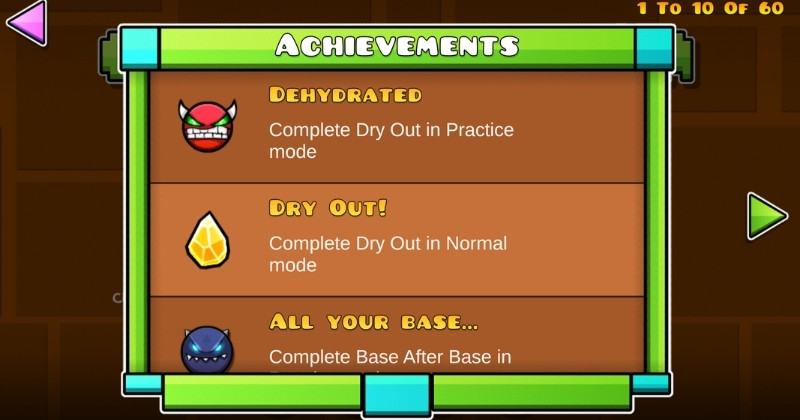
How to enable percentage in Geometry Dash? A simple answer
Pause a level and turn on Show Percentage.

How to enable percentage in Geometry Dash mobile?

How to enable percentage in Geometry Dash mobile works the same basic way: open a level, pause it, tap the gear icon, and turn on Show Percentage. That is the easiest mobile answer.

A lot of players get confused because older advice points to a different settings page. In newer versions, the progress bar and percentage options were moved to the in-level pause settings, which is why mobile players often miss them at first. Once you pause the level, the menu becomes much easier to find.

If you also want a clearer display on a small screen, turn on Show Progress Bar too. The number alone helps, but the bar makes tracking much easier on long levels.

How to enable percentage in Geometry Dash mobile?
You can enable percentage on mobile by pausing a level and turning on Show Percentage.

Why is the percentage not showing?

The percentage usually is not showing because Show Percentage is still turned off in the pause-menu options. That is the most common reason.

Another common issue is that players turn on only the bar or only the number and expect both to appear. If you want the full display, enable both Show Percentage and Show Progress Bar. If you want decimal precision, turn on Percentage Decimals from the main settings as well.

This is also why the setup feels confusing after updates. The feature still exists, but the path to it changed. Once you know where the menu moved, how to enable percentage in Geometry Dash becomes very quick to fix.

How do you show decimals and the progress bar?

You show decimals by enabling Percentage Decimals, and you show the bar by enabling Show Progress Bar. Those are two separate settings.

Percentage Decimals gives you a more precise reading, which is helpful for long levels and practice sessions. Show Progress Bar adds the visual tracker at the top of the screen. If you care about consistency, turn on both along with Show Percentage.

That full setup is the best version of how to enable percentage in Geometry Dash because it gives you the number, the bar, and the more exact decimal display in one clean layout.
How do you show decimals and the progress bar?
You can show decimals and the progress bar by turning on Percentage Decimals and Show Progress Bar.

What makes this setup useful in Geometry Dash?

This setup is useful because it gives you clearer feedback during attempts. That matters a lot in a game built around timing, repetition, and improvement.

The percentage tells you how far you reached. The bar shows your run at a glance. The decimals help when you want exact progress on hard sections. That is why many players turn these on as soon as they come back to the game after an update.

Once you understand how to enable percentage in Geometry Dash, the whole setup becomes much easier to use. It is also similar to learning how to get gold keys in Geometry Dash: once you know the right menu or system, the task becomes much easier than it first looked.

FAQs about how to enable percentage in Geometry Dash

These FAQs answer the most common follow-up questions about how to enable percentage in Geometry Dash. They also cover mobile use, percent symbols, shutdown rumors, and a few broader Geometry Dash questions.

How to put a percent symbol?

You usually do not need to manually type a percent symbol in Geometry Dash to show level progress. The game displays the percentage automatically when Show Percentage is enabled.

If you mean typing the symbol on a keyboard, use the normal % symbol from your device keyboard. But for level progress, the game handles it for you once the correct setting is on.

Why is Geometry Dash shutting down?

Geometry Dash is not officially shutting down based on the official site and normal game availability. The official RobTop site still lists the game, while many “shutdown” pages online are fan-idea or fictional pages, not official announcements.

So if you saw shutdown rumors, treat them carefully. They are not the same thing as an official RobTop notice.

Who is the youngest GD player?

There is no single official in-game title for the youngest GD player. Community discussions often point to different young players, which shows this is more of a fan-community question than an official Geometry Dash label.

For example, one community source calls wPopoff the youngest player to reach Pointercrate’s Top 10, while another video highlights KelanKraft as a very young standout player.

So the safest answer is that there is no one official youngest GD player recognized by the game itself.

Is Geometry Dash good for your mental health?

Geometry Dash can be fun and mentally engaging, but it can also be stressful if you play in a frustrated way. Community discussions often describe it as a game that depends heavily on stress control, repetition, and mindset.

So the healthiest answer is moderation. It can help with focus and persistence for some players, but long angry sessions are usually not a good idea.

Conclusion

The easiest way to use this feature is to open any level, pause the run, tap the gear icon, and turn on Show Percentage. After that, add Show Progress Bar and Percentage Decimals if you want a more complete progress display. The mobile version follows the same basic steps, so the fix is usually much simpler than players expect. If you came here wondering how to enable percentage in Geometry Dash, the answer is really just a quick settings change inside a level.

Ready to try it yourself? Jump into Geometry Dash on Crazy Games Unblocked and test the setup on your next run.

Share: Facebook Twitter

LEAVE A REPLY
Cancel reply

Your email address will not be published.

Most Played Games
  • Space Waves Play
  • Geometry Dash Play
  • Ragdoll Hit Play
  • Retro Bowl Play
  • Capybara Clicker Play
  • A Small World Cup Play
  • Moto X3M Play
  • Commando Force 2 Play
  • Subway Surfers Play
  • Poor Bunny Play
  • Escaping the Prison Play
  • Stick Merge Play
Crazy Games Unblocked

Enjoy a huge collection of ad-free online games at Crazy Games Unblocked . Play instantly with no interruptions.

Disclaimer: Crazy Games Unblocked links to free online games from third-party developers. All content belongs to its respective owners. We do not claim ownership and are not responsible for any issues. Use at your own discretion. Copyright holders may contact us to request removal.

  • RSS
Contact Information

Email: [email protected]
Address: Springfield, IL 62701, Springfield, Illinois, United States
Phone: 217-555-2458

Pages
  • About Us
  • Contact Us
  • Privacy Policy
  • Terms and Conditions
MOST POPULAR
  • Space WavesPLAY NOW!
    Space Waves
    6 votes, average: 4.00 out of 56 votes, average: 4.00 out of 56 votes, average: 4.00 out of 56 votes, average: 4.00 out of 56 votes, average: 4.00 out of 5
    11.9K
  • Geometry DashPLAY NOW!
    Geometry Dash
    9 votes, average: 3.78 out of 59 votes, average: 3.78 out of 59 votes, average: 3.78 out of 59 votes, average: 3.78 out of 59 votes, average: 3.78 out of 5
    8.43K
  • Ragdoll HitPLAY NOW!
    Ragdoll Hit
    5 votes, average: 4.20 out of 55 votes, average: 4.20 out of 55 votes, average: 4.20 out of 55 votes, average: 4.20 out of 55 votes, average: 4.20 out of 5
    8.11K
  • Retro BowlPLAY NOW!
    Retro Bowl
    4 votes, average: 4.00 out of 54 votes, average: 4.00 out of 54 votes, average: 4.00 out of 54 votes, average: 4.00 out of 54 votes, average: 4.00 out of 5
    4.56K
  • Capybara ClickerPLAY NOW!
    Capybara Clicker
    4 votes, average: 4.75 out of 54 votes, average: 4.75 out of 54 votes, average: 4.75 out of 54 votes, average: 4.75 out of 54 votes, average: 4.75 out of 5
    3.81K
  • A Small World CupPLAY NOW!
    A Small World Cup
    6 votes, average: 4.50 out of 56 votes, average: 4.50 out of 56 votes, average: 4.50 out of 56 votes, average: 4.50 out of 56 votes, average: 4.50 out of 5
    3.56K
  • Moto X3MPLAY NOW!
    Moto X3M
    2 votes, average: 4.00 out of 52 votes, average: 4.00 out of 52 votes, average: 4.00 out of 52 votes, average: 4.00 out of 52 votes, average: 4.00 out of 5
    3.23K
  • Commando Force 2PLAY NOW!
    Commando Force 2
    0 votes, average: 0.00 out of 50 votes, average: 0.00 out of 50 votes, average: 0.00 out of 50 votes, average: 0.00 out of 50 votes, average: 0.00 out of 5
    3.16K
  • Subway SurfersPLAY NOW!
    Subway Surfers
    1 vote, average: 5.00 out of 51 vote, average: 5.00 out of 51 vote, average: 5.00 out of 51 vote, average: 5.00 out of 51 vote, average: 5.00 out of 5
    2.92K
  • Poor BunnyPLAY NOW!
    Poor Bunny
    3 votes, average: 5.00 out of 53 votes, average: 5.00 out of 53 votes, average: 5.00 out of 53 votes, average: 5.00 out of 53 votes, average: 5.00 out of 5
    2.85K

© 2026 Crazy Games Unblocked – All rights reserved.

Login
Lost password?
Signup

PRESS ENTER TO SEARCH